Graníthöllin
  • File
    • Import file(Ctrl+O)
    • Clear all(Ctrl+E)
    • Save to My Designs(Ctrl+S)
    • Save as file(Ctrl+Shift+S)
  • Designs
    • My designs

      • All Categories
      • Category #1
      • New Category
      • You have not saved any designs yet!
        After designing, press Ctrl+S to save your designs in here.
  • Print
    • Print design

  • Share
    • Share Your Design Back to share

    • Create the link to share your current design for everyone

      Your link has been created successfully

      Share to:

  • Help
    • Quick help

    • ctrl+a Select all objects
      ctrl+d Double the activate object
      ctrl+e Clear all objects
      ctrl+s Save current stage to my design
      ctrl+o Open a file to import design
      ctrl+p Print
      ctrl++ Zoom out
      ctrl+- Zoom in
      ctrl+0 Reset zoom
      ctrl+z Undo changes
      ctrl+shift+z Redo changes
      ctrl+shift+s Download current design
      delete Delete the activate object
      ← Move the activate object to left
      ↑ Move the activate object to top
      → Move the activate object to right
      ↓ Move the activate object to bottom
      shift+← Move the activate object to left 10px
      shift+↑ Move the activate object to top 10px
      shift+→ Move the activate object to right 10px
      shift+↓ Move the activate object to bottom 10px
    • Graníthöllin

      Copyright © 2017-2020 Graníthöllin Legsteinar
      All Rights Reserved.

      Powered by Lumise version 1.8.1
  • Shop
  • Undo
  • Redo
  • Design
  • Product
  • Templates
  • Cliparts
  • Text
  More

Click or drag to add text

  • Start designing by adding objects from the left side
  • Reset
  • All selected objects are grouped | Ungroup?
  • Group objects Group the position of selected objects
    • Fill options

    • Options
      • Automatically align the position of
        the active object with other objects
      • ON: Keep all current objects and append the template into
        OFF: Clear all objects before installing the template
      • Replace the selected image object instead of creating a new one
    • Replace image
    • Crop
    • Mask
      • Select mask layer

    • Remove background
      • Remove background

      • Deep:

      • Mode:

    • Filters
      • Filters

        • Original
        • B&W
        • Satya
        • Doris
        • Sanna
        • Vintage
        • Gordon
        • Carl
        • Shaan
        • Tonny
        • Peter
        • Greg
        • Josh
        • Karen
        • Melissa
        • Salomon
        • Sophia
        • Adrian
        • Roxy
        • Singe
        • Borg
        • Ventura
        • Andy
        • Vivid
        • Purple
        • Thresh
        • Aqua
        • Edge wood
        • Aladin
        • Amber
        • Anne
        • Doug
        • Earl
        • Kevin
        • Polak
        • Stan
      • Brightness:

      • Saturation:

      • Contrast:

    • Clear Filters
    • Click then drag the mouse to start drawing. Ctrl+Z = undo, Ctrl+Shift+Z = redo
    • QRCode text
    • Font family
    • Edit text
      • Edit text

      • Enter text

      • Font size:

      • Letter spacing

      • Line height

    • Text Effects
      • Text effects

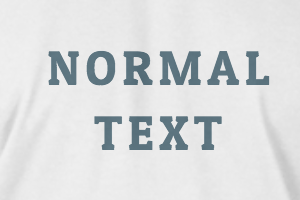
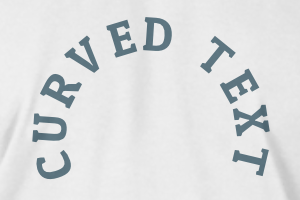
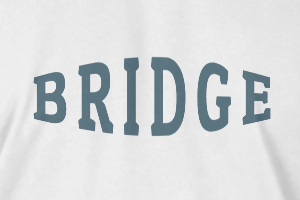
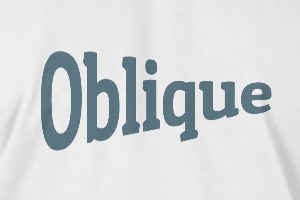
      • normal curved bridge oblique
      • Radius

      • Spacing

      • Curve

      • Height

      • Offset

      • Trident

    • Uppercase / Lowercase
    • Font weight bold
    • Text style italic
    • Fill options
      • Fill options

        • Transparent:

        • Stroke width:

        • Stroke color:

      • Ungroup position
      • Arrange layers
      • Position
        • Object position

          Lock object position:

        • Center vertical
        • Top left
        • Top center
        • Top right
        • Center Horizontal
        • Middle left
        • Middle center
        • Middle right
        • Press ← ↑ → ↓ to move 1 px,
          Hit simultaneously SHIFT key to move 10px
        • Bottom left
        • Bottom center
        • Bottom right
      • Transforms
        • Rotate:

        • Skew X:

        • Skew Y:

        • Flip X:
          Flip Y:

          Free transform by press SHIFT+⤡

      Vinsamlegast sendið okkur upplýsingar ef þið lendið í vandræðum með að hanna legstein á granithollin@granithollin.is
      Scroll to zoom

      Heading Color